Practical guides · comparison
Whole-House Surge Protection, Plug-In Protectors and UPS Units Compared
Surge protection limits brief voltage spikes. A UPS supplies temporary battery power. Compare where each option acts, what it cannot do and when a combination makes sense.
What you’ll learn
- Panel-level surge protection, plug-in protection and UPS battery backup address different needs and can complement one another.
- An ordinary power strip and a standard circuit breaker are not substitutes for a surge protective device.
- Choose a UPS using connected load and model-specific runtime; not every outlet necessarily provides battery power.
- Layer protection by location, follow connection instructions and never assume protection against every lightning event.
A surge protector will not keep your home office running through an outage, and a UPS beside your desk does not replace protection at the electrical panel. For homeowners in West End and Moore County, the right choice begins with separating equipment protection from power continuity. This guide compares ordinary power strips, panel-level surge protection, plug-in protectors and UPS units so you can decide where a single device is useful—and where a combination deserves consideration.
1. Identify the problem before choosing the device
A surge is a brief overvoltage event. An outage is a loss of supply. A brownout or sustained overvoltage is another condition again—not simply a longer version of a surge. Equipment intended for one problem should not automatically be expected to solve the others.
A standard circuit breaker primarily responds to excessive current from conditions such as overloads and short circuits. It is not equivalent to a surge protective device, which limits transient voltage. A breaker that stays on does not prove that electronics avoided a surge. Likewise, a power strip’s reset button does not establish that it contains surge suppression.
If repeated trips are the concern, start with Circuit Breakers service and the guide to why a circuit breaker keeps tripping. Buying another strip is not a repair for an unresolved circuit problem.
2. Compare the four genuine options
These options are not interchangeable upgrades on a single scale. They differ in where they act, what they support and whether they supply any energy when utility power disappears. Use this comparison to narrow the job each device needs to do, then check the specifications of the actual product.
Power strips, surge protectors and UPS units: practical differences
| Option | Where it acts | Benefits and best fit | Tradeoffs and limitations |
|---|---|---|---|
| Ordinary power strip | At an existing receptacle | Adds connection points for suitable loads within its rating. | No surge suppression unless specifically included; no battery backup; does not increase circuit capacity. |
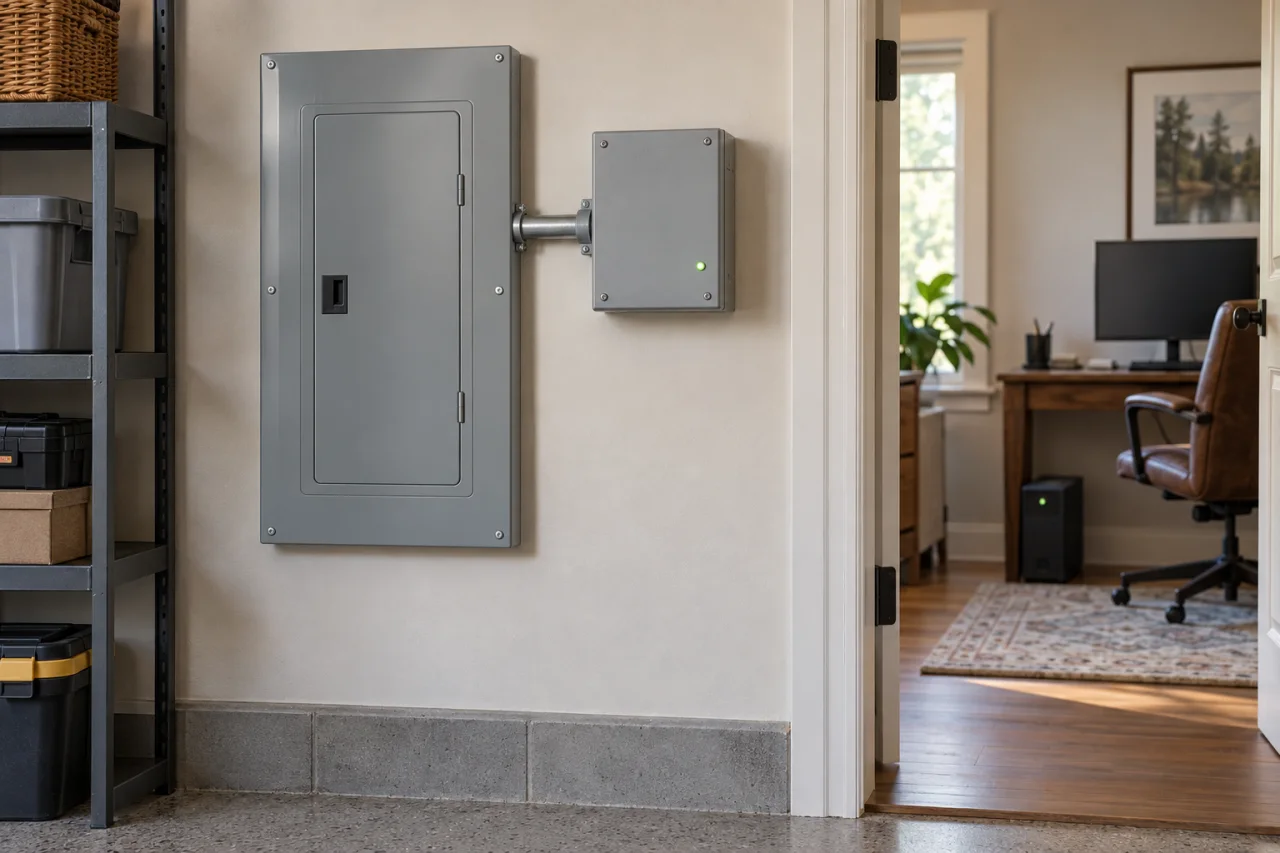
| Panel-level surge protective device | At the electrical service or distribution panel, as permitted by its listing | Provides a broader layer of surge protection for connected electrical systems. | Requires appropriate installation; supplies no outage power and is not an unlimited shield. |
| Plug-in surge protector | At selected cord-connected equipment | Adds point-of-use surge protection for equipment plugged into it. | Does not protect unrelated circuits or supply battery power; load and installation limits apply. |
| UPS battery-backup unit | At selected electronics | Provides temporary battery power; surge protection and voltage-regulation features depend on the model. | Capacity and runtime are separate limits; some outlets may be surge-only rather than battery-backed. |
3. Use panel-level protection for a broader starting layer
What people call whole-house surge protection generally means a permanently connected device at the service or panel. Type 1 and Type 2 identify installation categories, not a simple ranking of better and worse. Type 2 devices are installed on the load side of the service disconnect; Type 1 devices have different permitted locations. Selection must follow the device listing and installation instructions.
This layer matters when your concern extends beyond a television or computer to electrical equipment throughout the home. It still supplies no electricity during an outage.
For a West End or Moore County home, discuss panel compatibility, installation location and equipment priorities when requesting Surge Protection from The Electric Knight. Leave panel access and installation to an electrician; do not remove covers to investigate compatibility yourself.
4. Choose plug-in protection by function, not appearance
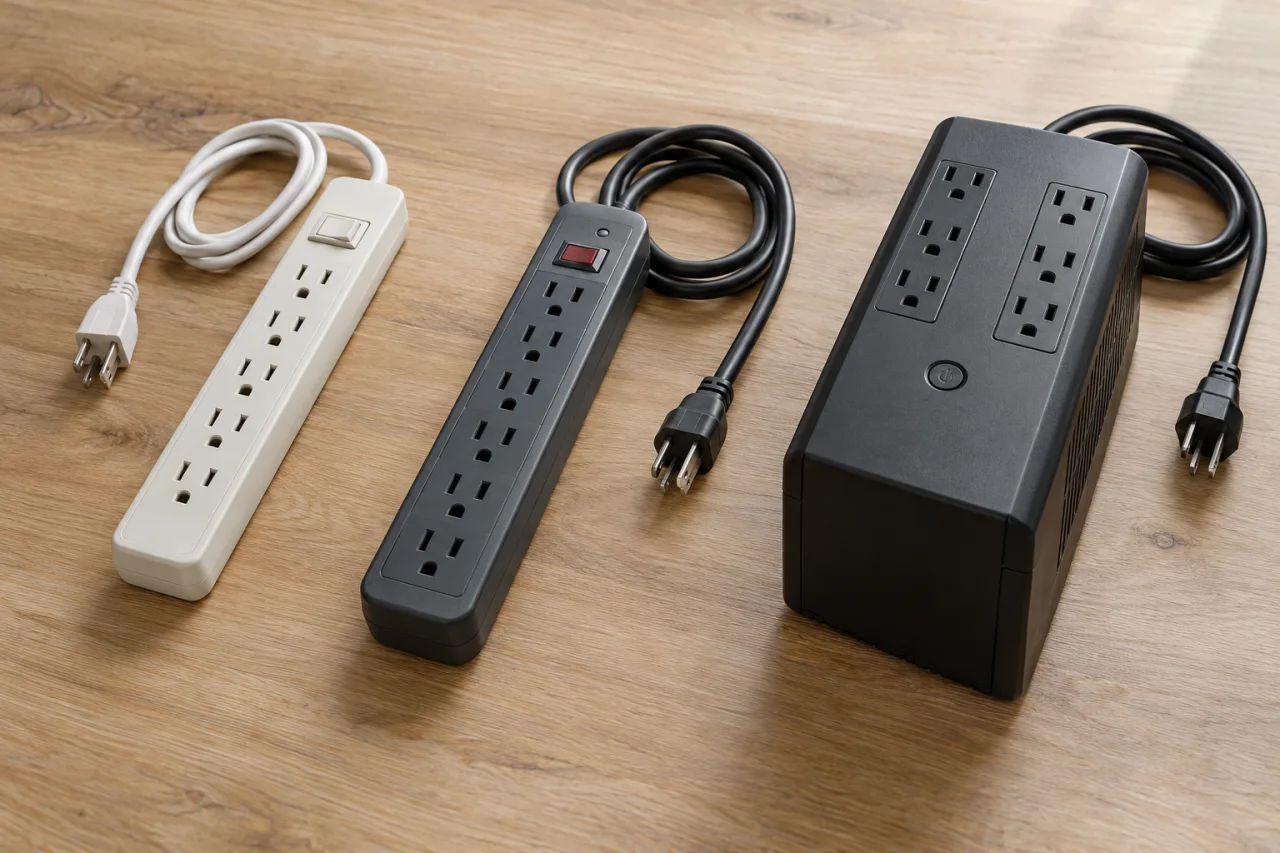
A plug-in surge protector adds protection near selected electronics. An ordinary power strip merely provides more outlets. Similar housings, illuminated switches and USB ports do not settle which one you have.
Check the product’s identification and certification for surge protection. UL 1449 applies to surge protective devices; certification of an ordinary power strip does not automatically establish surge suppression. Also check the electrical load rating and the manufacturer’s permitted uses.
Neither product creates extra circuit capacity. Count the connected load, not just the available sockets. Do not run cords beneath rugs or keep using a strip with damaged insulation. If a room depends on multiple strips because there are too few receptacles, discuss a permanent outlet solution rather than expanding the arrangement indefinitely.
5. Size a UPS around the task and the runtime
A UPS is the relevant choice when an abrupt shutdown is the problem. It can give selected electronics time to continue through a brief interruption or shut down safely. It is not automatically a plan for an extended household outage.
Capacity answers how much equipment the UPS can support. Runtime answers how long its battery can support that equipment. A larger VA number alone is not a runtime promise, and adding devices reduces available runtime.
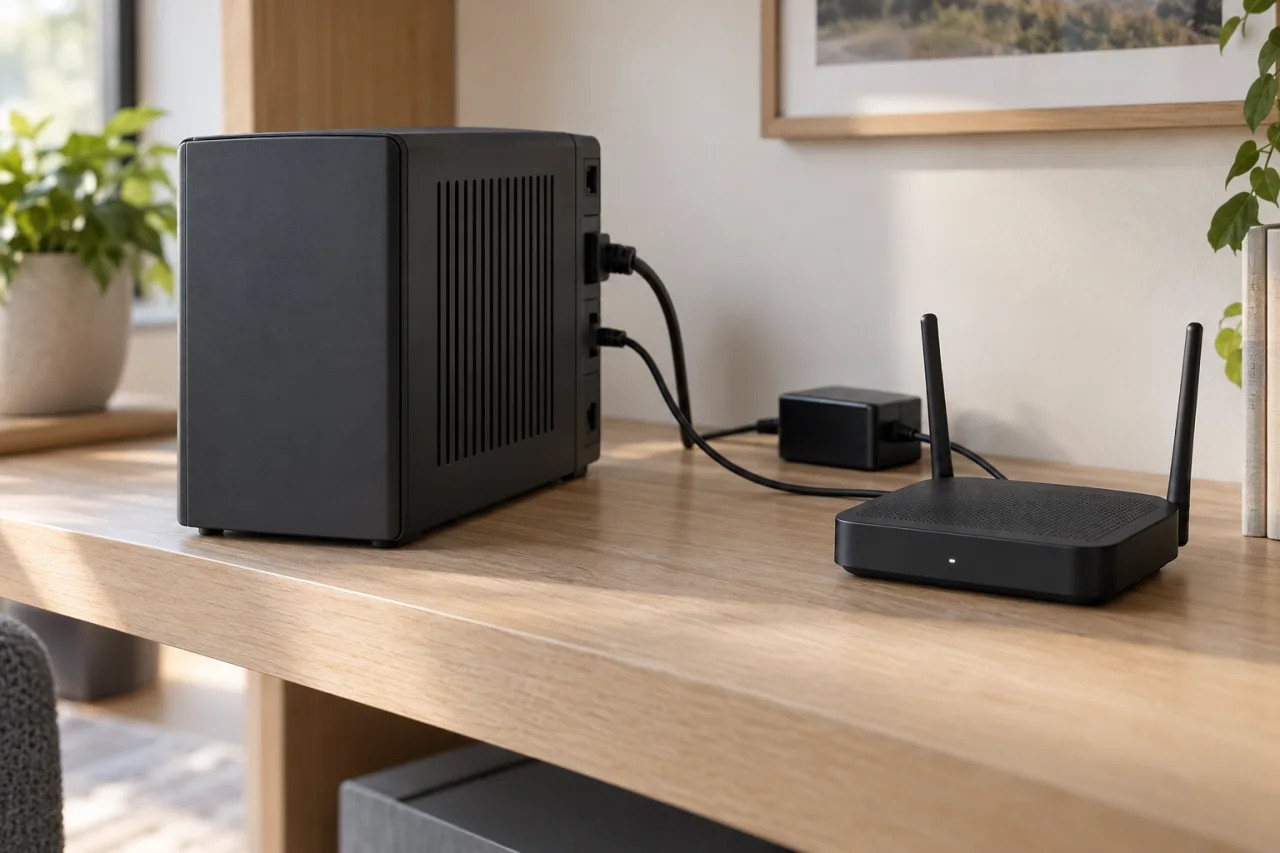
For a home office, decide whether your goal is saving work or maintaining a network connection. Include the equipment necessary for that goal, but recognize that powering your router cannot guarantee service from an internet provider during an outage. A line-interactive model with automatic voltage regulation may also address voltage fluctuations without using its battery for every adjustment.
- List every device that must remain powered, including required network equipment.
- Check both the UPS watt and VA limits against the connected equipment.
- Compare model-specific runtime at the expected load, not just the headline capacity.
- Confirm which outlets provide battery backup and which provide surge protection only.
- Check voltage-regulation features and equipment compatibility in the manufacturer’s documentation.
6. Combine layers without creating a chain of strips
Layering means placing suitable protection at different points—not plugging multiple strips into one another. A practical combination might be panel-level surge protection, point-of-use protection at an entertainment center and a UPS for a computer or network station.
Follow the UPS manufacturer’s connection rules. For APC Back-UPS and Smart-UPS products, the guidance calls for plugging the UPS directly into a wall receptacle and advises against adding a surge protector, power strip or extension cord to its output.
For longer interruptions, build a separate storm-outage plan for essential power needs. Surge suppression and stored energy solve different problems. No combination should be sold as protection from every lightning event: a complete lightning-protection system is a separate subject that can include protection for incoming power and communications lines.
7. Compare installation scope and ongoing upkeep
Compare the scope of the plan rather than the device price alone. For panel-level work, ask whether the proposal includes the specified protector, installation labor, required connection components and any separately identified electrical corrections. Panel condition, access and required parts can change the scope.
For a UPS, compare capacity, runtime at your load, voltage regulation and battery-replacement options. Extra outlets are not useful if the unit cannot support the equipment connected to them. Include future battery replacement in the ownership decision rather than treating the initial purchase as the entire commitment.
Keep the instructions available. Check accessible indicators according to the manufacturer’s guidance, and distinguish a power-on light from a protection-status indication. Review surge-protector indicators and replacement questions rather than assuming that equipment receiving power proves its surge protection remains effective.
8. Ask for a plan with clear limits
Bring these questions to a planning conversation with The Electric Knight. The useful outcome is a clear division of responsibilities between devices, not a promise that one purchase solves every electrical concern.
Keep fault symptoms separate from shopping decisions. Repeated breaker trips without emergency warning signs warrant an electrician’s assessment; do not repeatedly reset the breaker to keep equipment running. For smoke, flame, active arcing or a burning electrical odor, move to safety and call 911. For suspected electric shock, call 911 or emergency medical help and do not touch someone who may still be contacting electricity. Never open energized equipment or investigate a live fault yourself.
- Which problem are we addressing: surges, voltage fluctuations, shutdowns or extended outages?
- Which equipment needs broad protection, point-of-use protection or battery power?
- What installation work and exclusions are included in the proposal?
- How will I recognize a protection fault or a battery that needs attention?
Questions & answers
Do I still need plug-in surge protection if I have a whole-house device?
Point-of-use protection can provide an additional layer for selected electronics. Panel-level and plug-in devices act at different locations; neither should be treated as a guarantee against every surge. Follow the equipment and protector manufacturers’ instructions.
Will a surge protector keep my computer running when the power goes out?
No. A surge protector does not supply stored power. A properly sized UPS can provide temporary battery power to equipment connected to its battery-backed outlets.
Does a reset button mean a power strip has surge protection?
No. A resettable breaker may provide overload protection without surge suppression. Confirm that the product is identified as a surge protective device and check its applicable certification.
Can I plug my UPS into a surge-protector strip?
Check the UPS instructions rather than assuming this is acceptable. For APC Back-UPS and Smart-UPS products, Schneider Electric recommends direct connection to a wall receptacle and advises against adding surge strips, power strips or extension cords to the UPS output.
Will these devices protect against a direct lightning strike?
Do not rely on that promise. Typical surge protectors cannot be counted on to protect equipment from a lightning strike. A complete lightning-protection system is a separate consideration, and personal storm safety remains essential.
Sources & further reading
- UL Solutions: Guide to Power Strips and Surge Protectors
Distinguishes ordinary power strips from surge protectors; explains load ratings, cord damage, avoiding cords beneath rugs and considering additional receptacles when strips are overused.
- UL Solutions: Power Strips Testing and Certification
Explains that power-strip breakers address overloads or short circuits and that an included surge protective device must additionally comply with UL 1449.
- Electrical Safety Foundation: Commercial and Industrial Surge Protective Devices
Defines Type 1, Type 2 and Type 3 surge protective device locations and describes using multiple protection layers.
- Mersen: Surge-Trap Surge Protective Devices
Defines Type 1 and Type 2 installation categories relative to the service disconnect and Type 3 point-of-use applications.
- NEMA Surge Protection Institute: FAQs
Explains transient surges versus sustained overvoltages, distributed protection at panels and selected equipment, and standardized surge-protector ratings.
- Schneider Electric: UPS Buying Guide
Explains UPS battery backup, surge-only outlets, automatic voltage regulation, runtime dependence on connected load and battery-replacement options.
- Eaton: UPS Sizing Guide
Distinguishes UPS output capacity from battery runtime and explains selecting a battery system for the required load and duration.
- Eaton: Desktop UPS Buying Guide
Explains checking equipment wattage, the distinction between watts and VA, runtime changes with load and model-specific battery-runtime information.
- www.watchhillfire.com
Guidance referenced in this article on Whole-House Surge Protection, Plug-In Protectors and UPS Units Compared.
- https://www.cdc.gov/natural-disasters/response/what-to-do-protect-yourself-from-electrical-hazards.html
Guidance referenced in this article on Whole-House Surge Protection, Plug-In Protectors and UPS Units Compared.
- https://www.se.com/us/en/faqs/FA158852/
Guidance referenced in this article on Whole-House Surge Protection, Plug-In Protectors and UPS Units Compared.
Prepared and automatically checked on . Conditions, costs and requirements can change. Ask about the details that apply to your situation.
Continue reading
Helpful next reads
Why Does a Circuit Breaker Keep Tripping?
A repeatedly tripping breaker may be protecting you from an overload or electrical fault—not asking to be replaced. Learn which patterns matter and when to leave the circuit off.

Planning an Electrical Panel Upgrade: Loads, Permits and Inspections
Before agreeing to a panel replacement or service upgrade, understand what is driving the recommendation, what the proposal includes and how permits, inspection and power restoration will be coordinated.
GFCI, AFCI, Tamper-Resistant and Weather-Resistant: What Is the Difference?
These four labels address different hazards. Learn how shock protection, arc-fault protection, internal shutters and outdoor ratings work together—and what to ask before replacing an outlet.